3.18(612)
Oh yikes—in the latest build I’m losing edits. Things I change are reverting while I’m not looking. This is not in a project tracked by Working Copy by the way.
3.18(612)
Oh yikes—in the latest build I’m losing edits. Things I change are reverting while I’m not looking. This is not in a project tracked by Working Copy by the way.
This definitely wasn’t happening in prior builds? Just trying to track down the changes from the last build.
If you have any more info on this, definitely post it here.
You asked for it here: so do you want me to recap the conversation we had about it on discord?
I’ll just do that:
UberGoober 1:07 AM
Oh yikes-in the latest build I’m losing edits.
Things I change are reverting while I’m not looking. This is not a project tracked by Working Copy by the way.
Sim
1:08 AM
Oh no, what sort of reverts are you seeing?
Thanks for reporting this
I tried to make some fixes to the multiline comment bug you saw but may have broken something else
Is it happening while editing or when you hit play Or when you close
UberGoober 8:46 AM
It’s very hard to pin down what triggers it.
It just now happened when I did a find/replace, the find window showed that the replacements had taken place but the actual code didn’t show that. I tried several times including opening and closing the project but it still only fake-replaced.
It finally worked after quitting and restarting Codea.
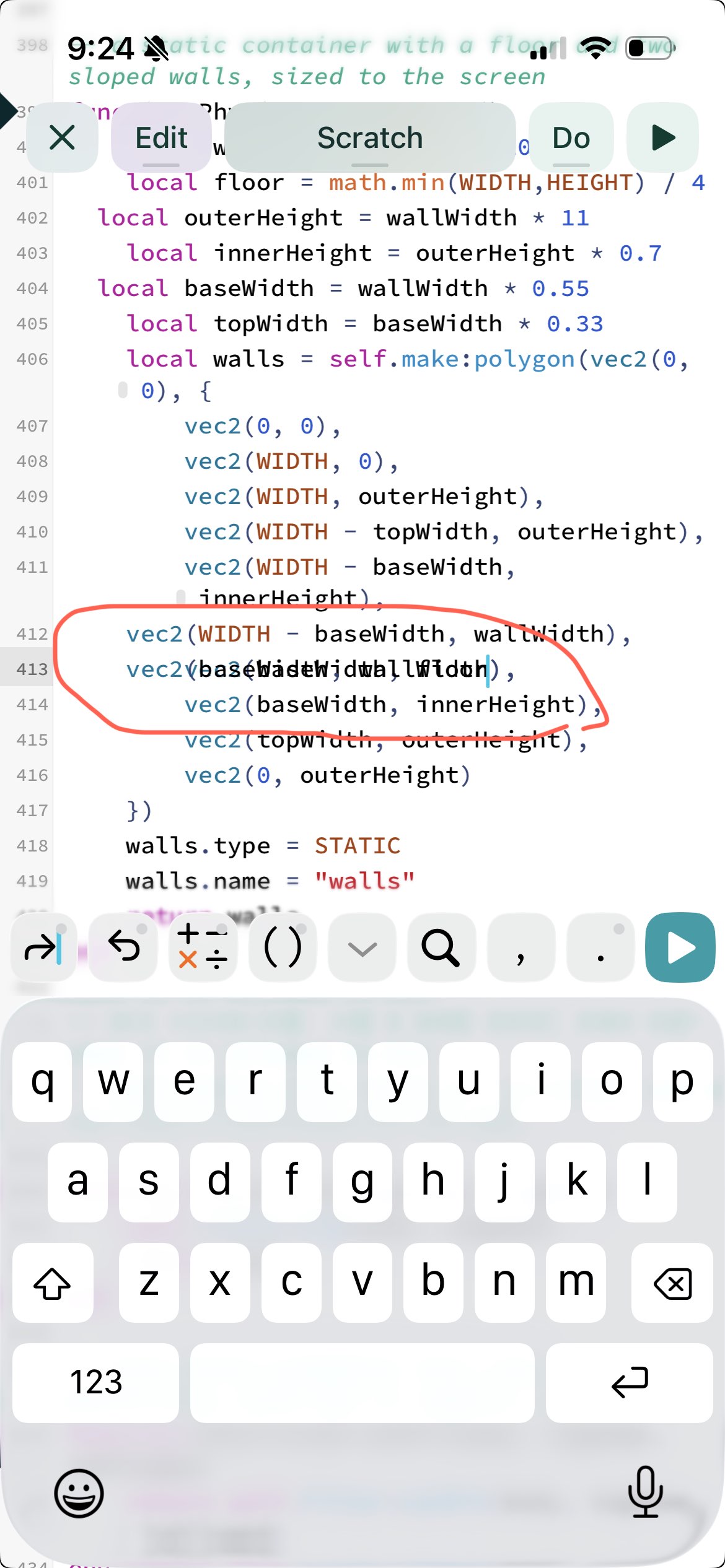
Sometimes it’s accompanied by a weird visual bug where it looks like the current tab is blank but all the line numbers have collapsed into the top number and are drawn on top of each other.
Could it have to do with the massive amount of projects on my phone? Oh yeah I’m on my phone fwiw.
Sim
9:00 AM
Was it replacements in inactive tabs that failed to save?
A large number of projects has been known to cause issues (though that is a bug of course)
UberGoober 9:07 AM
I’m not sure if they were active or not.
Sim
9:17 AM
No worries
thanks for all the info you’ve given
trying to get some more resilience into the next build
UberGoober 9:25 AM
Here’s another weird editor thing I’ve seen happen, this one just now
Sim 10:01 AM
I think I’ve caught this one, due to a bad performance optimisation I tried to make in the last build
Thanks for replaying it here. Let’s keep the discussion here going forward (I prefer the forums to Discord as well)
@UberGoober putting through a new build now that attempts to address the text corruption and data loss while keeping most of the performance improvements. Hoping it resolves your issues
Sorry to say it, just had it again. Lost big edits including a whole tab I had just created. This time Codea crashed at the same time. This is after installing the update.
Just had it happen again, both this time and the last it happened immediately after a global find and replace
Which makes me wonder if there is something iPhone specific about it because that interface is different on iPhone
Are the edits generally lost in tabs that are not currently selected? Or are they being lost in the active tab when Codea crashes?
I’m not sure that’s predictable. Whole tabs have been lost. Also sometimes renamed I think? Tabs have had everything pasted on them erased, and iirc tabs have also had everything deleted from them put back. You can understand I’m reluctant to do a lot of testing on this one.
Totally understandable, thanks for all your reports so far. I’ve seen one crash log in TestFlight and I’ll keep an eye out for more
I’ve been trying to reproduce your symptoms by duplicating the Cargo-Bot project, then doing a Find/Replace across the whole project. So far it seems OK and I haven’t had a crash or loss of data on my iPhone, but I’ll keep trying.
…also around 625 projects?
I assume you are running the project multiple times and going back to the editor before a crash? Or does it sometimes happen without ever running anything?
Doing another build with more potential fixes and lots of actual fixes — I could not replicate any find/replace crashes in build 613, even while deleting and creating tabs on phone. However I was able to reproduce and fix other crashes.
Uh
I just lost an entire project.
Like, gone from the project browser. Poof.
I was editing and I pasted a big chunk of code into a tab and then I noticed that a sprite call was giving an error claiming an asset didn’t exist. I opened the asset browser and sure enough no assets existed—which I knew couldn’t be right because this project includes a deck of cards.
I closed the asset browser and switched to Working Copy to verify that there were card deck images in the repo and yes there were.
Then I switched back to Codea and the project was gone. I don’t remember for sure, I may have tried to open the asset browser inside the project again, and then instead of the asset browser I got the main Codea screen with my project nowhere in sight.
Thank goodness I had it backed up with Working Copy!
To be fair, though, since all the other bugs happened without Working Copy present and this one happened with Working Copy present there’s a chance this one’s a Working Copy bug. Seems unlikely given how similar this is to these other bugs but it’s worth mentioning I think.
Perhaps it’s germane that currently I am often cutting and pasting entire tabs which can be over 1K lines of code.
Claude is helping me clean up my projects’ code so I’m renaming and rearranging and replacing the entire text of tabs, willy-nilly. At any given time it’s possible the clipboard has a ton of text in memory.
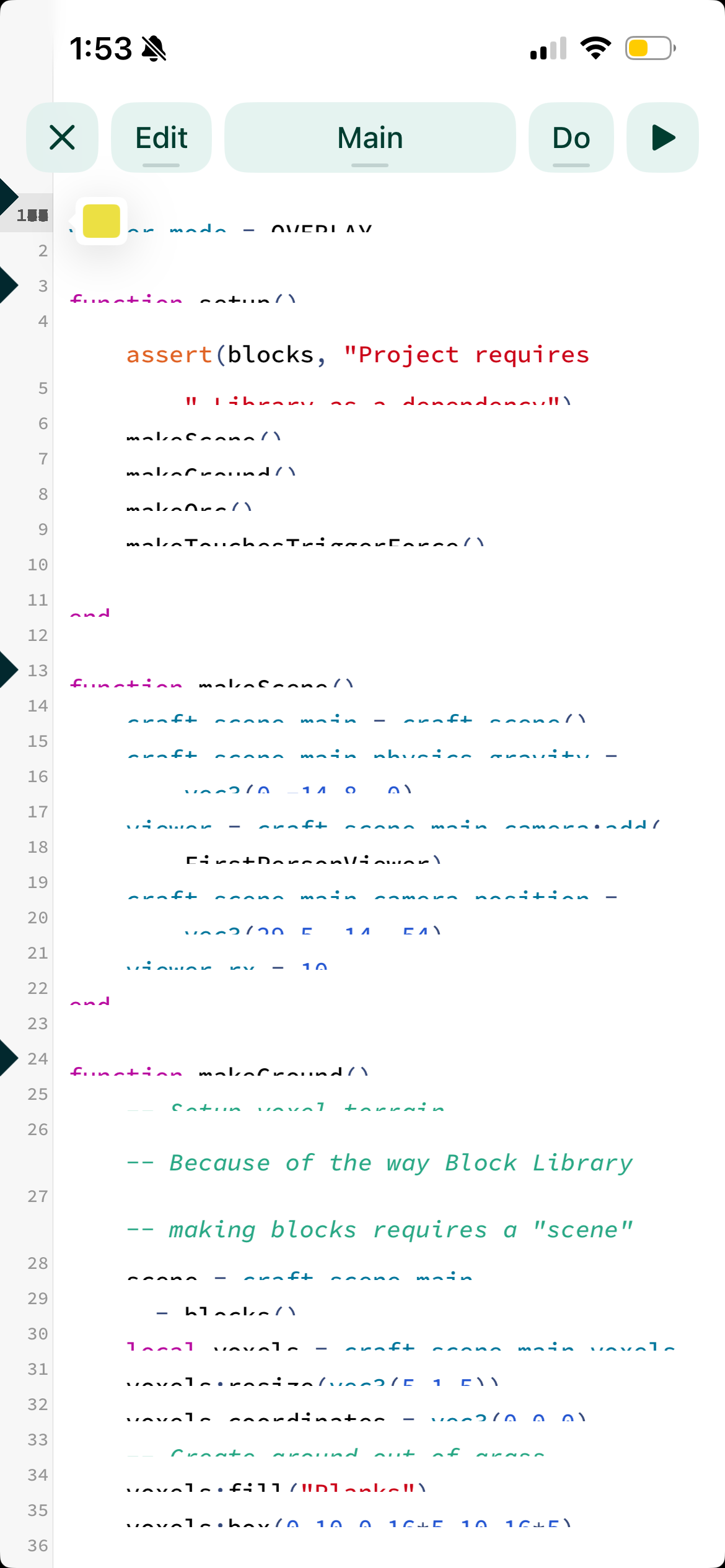
Just had this happen.
i immediately terminated Codea so I did not find out if a loss of this code would have followed had I kept Codea open longer. I did preserve the code fwiw, though of course there’s no telling if it was actually in danger in the first place. We just can’t say for sure.
But what we can say for sure is that it looks pretty funky, right?
Ah also worth saying: the above bug happened on a small one-tab project that I had not edited at all. Iirc I ran the project and then stopped the project and when it resumed the editor interface I saw this.
I wonder if your phone is running out of memory (RAM)
Out of curiosity, could you try moving some projects out of Codea using the the Files app? Just put them somewhere else temporarily. I wonder if there is too much memory being eaten by the grid of projects that there is not enough left for the editor…