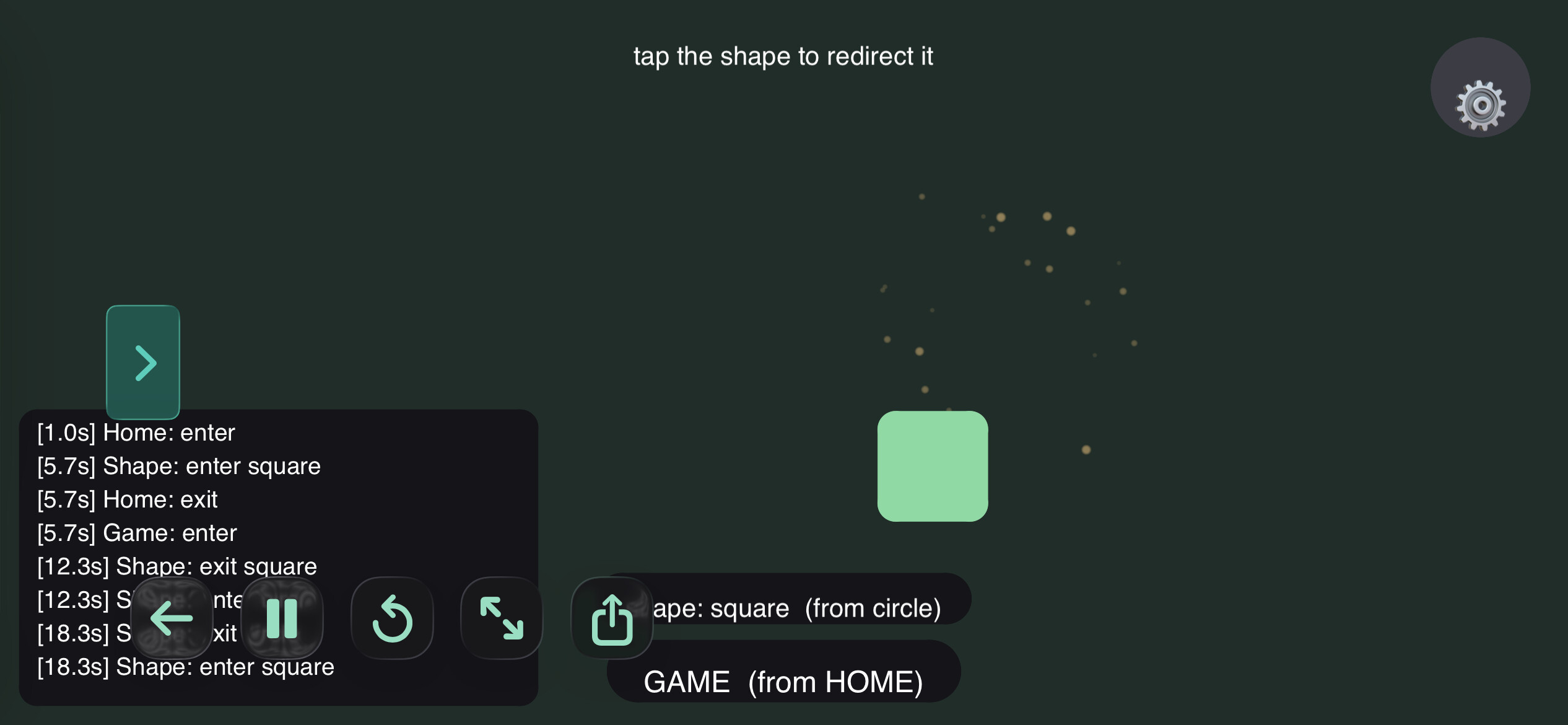
Just dropping my state manager class in case anyone could use it. It’s pretty simple and straight forward but I had ChatGPT add some comments and example usage.
it’s used to transition between states such as a loading state, game state, pause/resume from a stack, Etc..
Thank you much, I do the same and thought if anyone else follows the same principal they may benefit from having a good state manager. I’m kind of curious to see what you use, something similar, more advanced? or is there an even simpler way to achieve the same end result.
The last big project I did I used was for this little Severance fan game Terminal of Woe
If you install that, there’s a button to export the Codea project itself. I can’t recall the exact system but it was similar to yours — states can carry some additional data. I don’t think I did a BaseState — I was trying to emulate Swift’s pattern-matching enums
@sim - ran terminal of Woe for quite a long time on my iPad. Just ran it on my PC and was surprised to see a flashy introduction page - impressive. From that I take it that you can detect the hardware that Codea is running on.
Reason I am posting is you refer to a button to export the project - can’t find it - can you remember where it is ?