Hey pls help me i want make button because i make platformer
İ want make if buttontouch=true then charx +=5
Hey pls help me i want make button because i make platformer
İ want make if buttontouch=true then charx +=5
One way to do it is to type this into ChatGPT:
Give me a super simple Codea program that draws a button that says button and above it a circle and every time you tap the button the circle moves 5 pixels right.
And it will give you something like this:
function setup()
    x = WIDTH / 2
end

function draw()
    background(40)

    fill(255)
    ellipse(x, HEIGHT / 2 + 100, 50)

    fill(100, 150, 255)
    rect(WIDTH / 2 - 75, 100, 150, 60)

    fill(255)
    fontSize(24)
    text("button", WIDTH / 2, 130)
end

function touched(touch)
    if touch.state == ENDED then
        if touch.x > WIDTH / 2 - 75 and touch.x < WIDTH / 2 + 75
        and touch.y > 100 and touch.y < 160 then
            x = x + 5
        end
    end
end
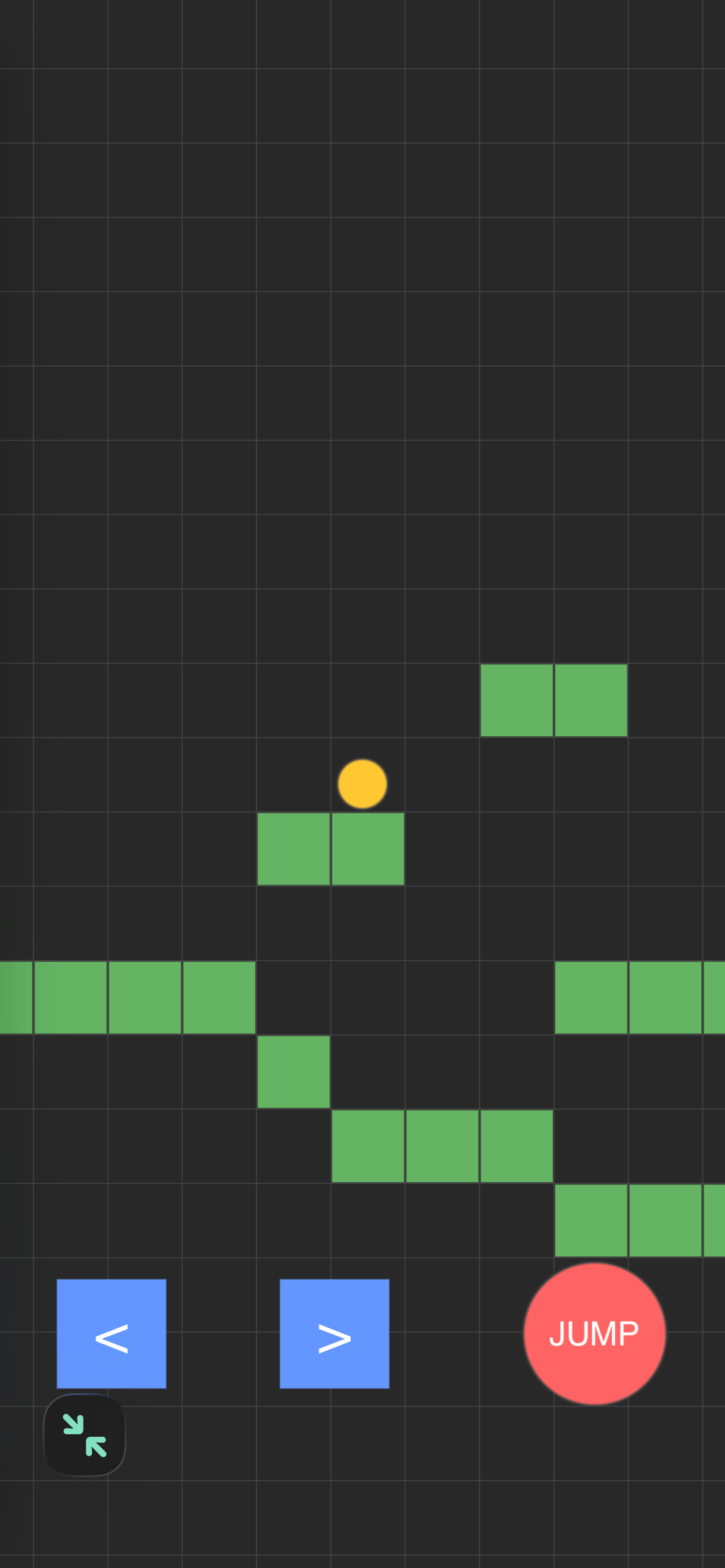
Also here is a VERY simple platformer kit to get you started. You tap wherever you want to make a platform and it fills in green.
--# Main

function setup()
    viewer.mode = FULLSCREEN

    world = World()
    player = Player()
end

function draw()
    background(40)

    pushMatrix()
    translate(WIDTH / 2 - player.pos.x, HEIGHT / 2 - player.pos.y)

    world:draw()
    player:draw()

    popMatrix()

    player:drawControls()
end

function touched(touch)
    player:touched(touch)
    world:touched(touch)
end


--# World

World = class()

function World:init()
    self.size = 40
    self.cells = {}

    self.floorY = math.floor(HEIGHT / 3 / self.size)

    for x = -10, 20 do
        self:setCell(x, self.floorY, true)
    end
end

function World:key(x, y)
    return x .. "," .. y
end

function World:setCell(x, y, value)
    self.cells[self:key(x, y)] = value
end

function World:getCell(x, y)
    return self.cells[self:key(x, y)] == true
end

function World:draw()
    local left = math.floor(
        (player.pos.x - WIDTH / 2) / self.size
    ) - 1

    local right = math.floor(
        (player.pos.x + WIDTH / 2) / self.size
    ) + 1

    local bottom = math.floor(
        (player.pos.y - HEIGHT / 2) / self.size
    ) - 1

    local top = math.floor(
        (player.pos.y + HEIGHT / 2) / self.size
    ) + 1

    -- Cells
    for x = left, right do
        for y = bottom, top do
            if self:getCell(x, y) then
                fill(100, 180, 100)
                rect(
                    x * self.size,
                    y * self.size,
                    self.size,
                    self.size
                )
            end
        end
    end

    -- Faint grid
    stroke(70)
    strokeWidth(1)
    noFill()

    for x = left, right + 1 do
        line(
            x * self.size,
            bottom * self.size,
            x * self.size,
            top * self.size
        )
    end

    for y = bottom, top + 1 do
        line(
            left * self.size,
            y * self.size,
            right * self.size,
            y * self.size
        )
    end
end

function World:touched(touch)
    if touch.state ~= ENDED then return end

    if player:isControl(touch.x, touch.y) then
        return
    end

    local wx = touch.x - WIDTH / 2 + player.pos.x
    local wy = touch.y - HEIGHT / 2 + player.pos.y

    local x = math.floor(wx / self.size)
    local y = math.floor(wy / self.size)

    self:setCell(
        x,
        y,
        not self:getCell(x, y)
    )
end

function World:isSolid(x, y)
    local cellX = math.floor(x / self.size)
    local cellY = math.floor(y / self.size)

    return self:getCell(cellX, cellY)
end


--# Player

Player = class()

function Player:init()
    self.radius = 15

    self.pos = vec2(
        WIDTH / 2,
        world.floorY * world.size
            + world.size
            + self.radius
    )

    self.vel = vec2(0, 0)

    self.left = false
    self.right = false
end

function Player:draw()
    self:update()

    fill(255, 200, 50)
    ellipse(
        self.pos.x,
        self.pos.y,
        self.radius * 2
    )
end

function Player:drawControls()
    local y = 96

    -- Left button
    fill(100, 150, 255)
    rect(30, y, 60, 60)

    fill(255)
    fontSize(30)
    text("<", 60, y + 30)

    -- Right button
    fill(100, 150, 255)
    rect(150, y, 60, 60)

    fill(255)
    fontSize(30)
    text(">", 180, y + 30)

    -- Jump button
    fill(255, 100, 100)
    ellipse(WIDTH - 70, y + 30, 80)

    fill(255)
    fontSize(18)
    text("JUMP", WIDTH - 70, y + 30)
end

function Player:isControl(x, y)
    local buttonY = 96

    if x >= 30 and x <= 90
    and y >= buttonY and y <= buttonY + 60 then
        return true
    end

    if x >= 150 and x <= 210
    and y >= buttonY and y <= buttonY + 60 then
        return true
    end

    if vec2(x, y):dist(
        vec2(WIDTH - 70, buttonY + 30)
    ) < 40 then
        return true
    end

    return false
end

function Player:touched(touch)
    local x = touch.x
    local y = touch.y
    local buttonY = 96

    if x >= 30 and x <= 90
    and y >= buttonY and y <= buttonY + 60 then
        self.left = touch.state ~= ENDED
        return
    end

    if x >= 150 and x <= 210
    and y >= buttonY and y <= buttonY + 60 then
        self.right = touch.state ~= ENDED
        return
    end

    local jump = vec2(WIDTH - 70, buttonY + 30)

    if touch.state == BEGAN
    and touch.pos:dist(jump) < 40 then

        if world:isSolid(
            self.pos.x,
            self.pos.y - self.radius - 5
        ) then
            self.vel.y = 12
        end

        return
    end
end

function Player:update()
    self.vel.y = self.vel.y - 0.5

    if self.left then
        self.vel.x = -3
    elseif self.right then
        self.vel.x = 3
    else
        self.vel.x = 0
    end

    local newX = self.pos.x + self.vel.x

    if not world:isSolid(
        newX + self.vel.x,
        self.pos.y
    ) then
        self.pos.x = newX
    end

    local newY = self.pos.y + self.vel.y

    if self.vel.y <= 0 then
        if world:isSolid(
            self.pos.x,
            newY - self.radius
        ) then
            local cellY = math.floor(
                (newY - self.radius) / world.size
            )

            self.pos.y =
                (cellY + 1) * world.size
                + self.radius

            self.vel.y = 0
        else
            self.pos.y = newY
        end
    else
        self.pos.y = newY
    end
end
And you can see the chat I used to make it here: