Sometimes when I jump between two tabs the editor scrolls to the top of the tab even though I had just been deep down in the code in that tab. This forces me to scroll down to where I need to be. If I switch tabs then return to the previous tab it scrolls to the top again. This is a huge annoyance.
I believe you might be running into a standard iOS behaviour: when you tap at the very top of the screen (in the status bar area) any scroll view on the screen will scroll to the top.
I just tested this in Codea and this happens when tapping at the very top of a tab. We can easily offer an editor setting to disable this functionality in the next release (3.16).
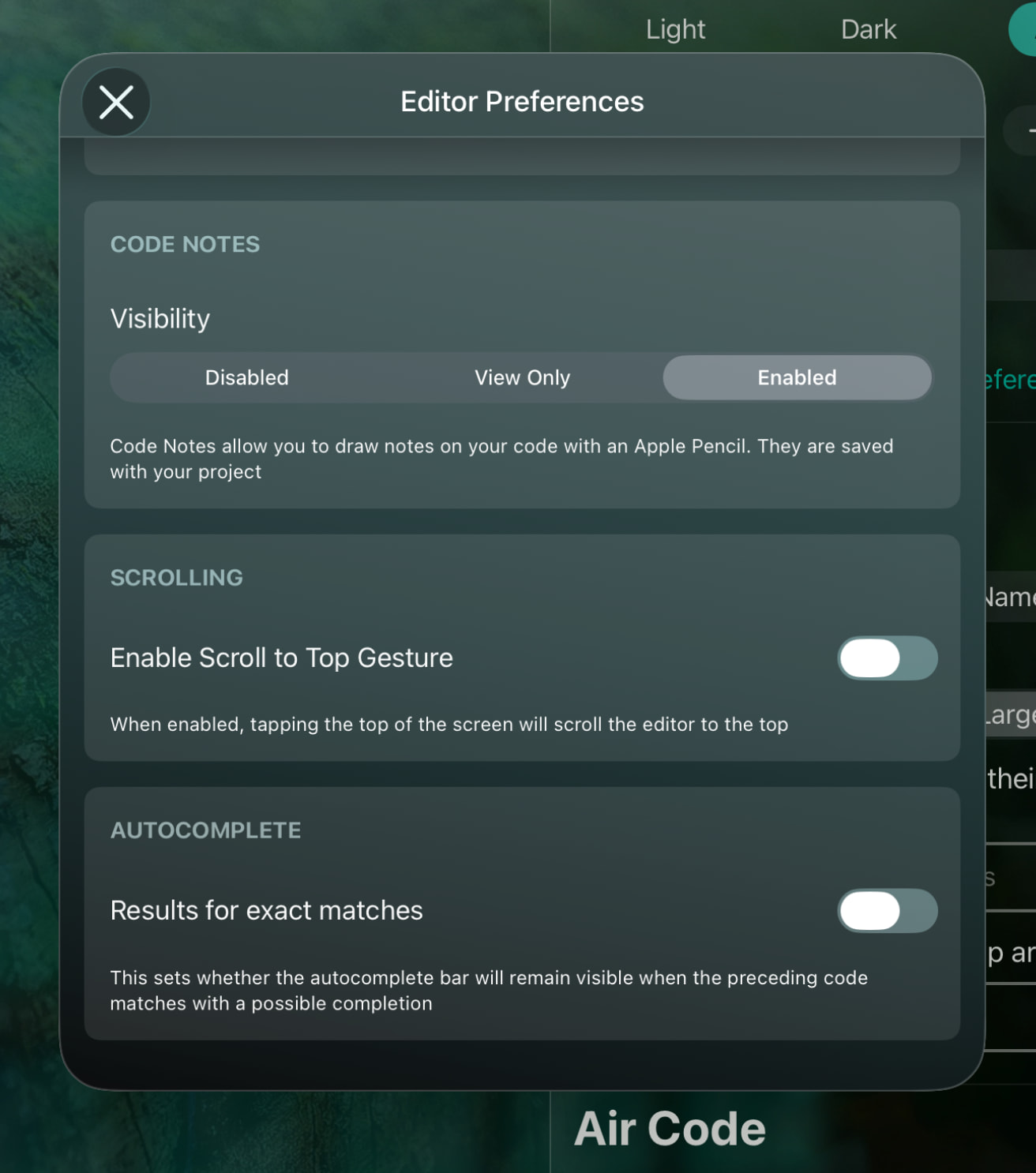
@sim , I very much look forward to trying this upcoming feature. Thank you very much.
1 Like
@sim This seems to work but I have another question.
Why is it that if I am several hundred lines down into a tab editing code then switch to a different tab and edit near the top then switch back to the previous tab the cursor is placed near the top and not several hundred lines down where I had just been?
Why can’t the tab remember where the cursor was when I left the tab?
I have never screamed louder at this editor than I have lately. Is this an Apple iOS thing or a Codea thing?
It must be some recent change because if I recall correctly, the way you want it to work is exactly how it used to work.
It may be related to the broken find feature, but I can’t tell if that is an iPhone only bug or not. Find will show you where the searched text is, but will no longer go directly to that line when you tap it.
@UberGoober , for the record I’m struggling with this issue on my iPad Air.
Thanks for finding this. Debugging the issue
@sim Still patiently waiting for an update that addresses this issue. Whenever I see that my iPad apps need updating I and disappointed to see Codea in not among them.
Any progress on this issue? Still maddening!
Hi Scotty - are you on the beta version? If not, could you give it a try?
I am not on beta. Can you provide instructions on how to run the beta version?
Sent you a DM with instructions